
How to Make a Personalized Cartoon Video Starring Your Child
A short cartoon where your child is the hero can mark a birthday, ease a big change, or connect them with grandparents far away. Here are story templates for six occasions, how to cast your family, and what it takes in time and credits.
By the ClipyToons teamUpdated 9 min read
What makes a personalized video feel special
A personalized cartoon video for kids works when it feels like it could only be about your child. Seeing their own face as a cartoon is fun, but the moment that really lands is when the story reflects something true: their love of tractors, the way they say "again!", the dog who follows them everywhere.
Three ingredients make the difference:
- A real occasion. Tie the story to something happening now, like a birthday, a new baby, or a first day of school.
- Real details, not private ones. Favorite color, favorite animal, a funny catchphrase. Skip full names, school names, and your town.
- Your child as the hero. Not a bystander. They solve the problem, help a friend, or take the brave step.
Keep it short. Most personalized videos are best at 1 to 2 minutes. That's long enough for a tiny story arc and short enough to rewatch a dozen times, which kids will.
Six occasions and a story template for each
Every template below follows the same simple shape: everyday world, gentle change, warm ending. Swap in your child's details and type a one-sentence version as your idea.
Birthday
Template: On the morning of their birthday, [child] discovers that their favorite animals have planned a surprise. They follow clues through [favorite place] and find everyone waiting with a cake shaped like [favorite thing].
Idea to type: "On Mia's 5th birthday, her farm animal friends leave paw-print clues that lead her to a surprise party in the barn."
New sibling
Template: [Child] learns they're going to be a big brother or sister. At first they worry there won't be enough love to go around, until a wise character shows them that love grows, like a garden, when you share it.
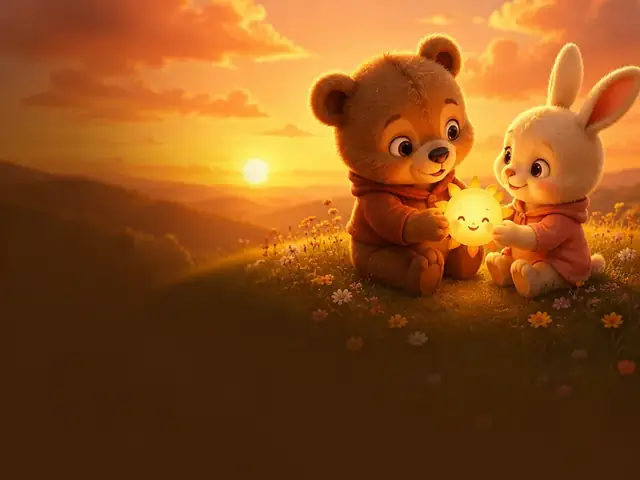
Idea to type: "Leo wonders if a new baby means fewer hugs, until a friendly sun shows him that sharing makes everything grow."
First day of school
Template: [Child] feels butterflies before a big new day. A small helper character (a brave backpack, a talking pencil) walks with them, and together they find one friendly face and one fun thing to do.
Idea to type: "Ava's backpack comes to life on her first day and helps her find a new friend at the painting table."
Keep the school generic: no real school name, uniform, or logo.
Moving to a new home
Template: [Child] says goodbye to their old room and worries the new place won't feel like home. Their favorite toy helps them discover a new cozy corner, a friendly neighbor, and a window with a great view of the stars.
Idea to type: "Noah and his stuffed bear pack up, travel to a new house, and find the perfect reading nook together."
Grandparents far away
Template: [Child] misses their grandparents who live in another country. They build a pretend rocket, balloon, or paper boat and "visit," sharing a snack and a hug, then wave goodbye until the next video call.
Idea to type: "Ella sails a paper boat across the sea to visit Mamie and Papi, who teach her to bake bread in their village kitchen."
Holidays and family traditions
Template: [Child] helps the family get ready for a special day: decorating, cooking, or welcoming guests. Something small goes wrong (a wobbly decoration, a spilled bowl), and everyone fixes it together with a laugh.
Idea to type: "Sam helps Grandpa decorate for the holidays, and when the star keeps falling, the whole family lifts him up to place it."
For more gentle story shapes, our guide on writing a bedtime story script covers repetition and soft endings.
Casting your family from photos
The magic of a personalized video is seeing familiar faces. In ClipyToons, you do this in the photo cast step.
How it works
- Upload a photo, or take one with your phone's camera.
- Each photo becomes a cartoon character sheet that's reused in every shot, so your child, a parent, or a grandparent looks the same from start to finish.
- You can add up to 5 photo characters per project. That's enough for a child, both parents, a sibling, and a grandparent.
- A photo or camera shot can also be the starting point of a scene, like your backyard turned into a cartoon setting.
Choosing good photos
- One person per photo, face visible and facing the camera
- Even light, no heavy filters or sunglasses
- Face not tiny in the frame
- JPEG, PNG, or WebP, up to 8 MB
Ask first
Get each adult's okay before uploading their photo, and ask other parents before including their children. Our guide to turning a child photo into a cartoon safely has a full privacy checklist, including how to remove location data from photos.
Free conversions
Free accounts include 6 photo-to-cartoon conversions, and conversions become unlimited with any paid plan. Pets, friends, and imaginary helpers can be auto-designed AI characters, which don't use up conversions.
Making it bilingual for grandparents and relatives
For families spread across countries, a personalized video in the grandparents' own language can mean a lot. It's also a sweet way to keep a heritage language alive for kids.
What languages are available
Each ClipyToons project has one dialogue language: English (the default and most consistent) or one of 13 others, including German, French, Spanish, Portuguese, Italian, Dutch, Polish, Japanese, Korean, Chinese (Mandarin), and Arabic. The script and all spoken lines are written in that language. Set it before rendering.
The two-version approach
Mixing languages in one short video can be confusing. A cleaner option is two short versions of the same story:
- Version one in your everyday language, for your child and friends.
- Version two in the grandparents' language, for example German, with your child greeting "Oma" and "Opa" by the names they actually use.
Because planning is free, you can write both scripts before deciding. Rendering both uses credits for each version.
Tips for the heritage-language version
- Write the idea in that language, rather than translating an English script line by line. Jokes and rhymes rarely survive translation.
- Use the family's real words for grandma, grandpa, and favorite foods.
- Have a fluent relative watch it first. Pronunciation in languages other than English can vary, and a single shot can be re-rendered if something sounds off.
Sharing it privately
A video starring your child is a family keepsake, not public content. Plan how it will travel before you share it.
Private-first options
- Download the MP4 from your Library and send it directly to family.
- Play it on a video call with grandparents, so no file changes hands.
- Upload to YouTube as Private and invite specific people, or as Unlisted, which means anyone with the link can watch but it won't appear in search or on your channel.
Set expectations with family
A quick message helps: "This one's just for family, please don't post or forward it." The American Academy of Pediatrics encourages parents to tell relatives their expectations about sharing clearly and early.
Before sharing, double-check
- No full names, school names, or towns in the dialogue or captions
- No identifying backgrounds, like house numbers or street signs
- Your co-parent is happy with who will see it
If the video will ever be public, consider re-casting your child as an AI-designed character. Same story, no real likeness.
Timing and cost: the honest math
Here's what a personalized video actually takes, so you can plan for a birthday morning or a grandparent's visit.
What's free
Characters, scripts, storyboards, and publish-pack text are free with a sign-in. You can plan the entire video, edit every line, and only pay when you render.
Rendering costs
Rendering uses credits from your plan. If you don't have a plan yet, pick one right there and the video starts as soon as you've paid. When it's finished, the studio shows how many credits it used.
Monthly plans in US dollars add credits after every successful payment, and unused credits stay in your balance:
- Starter: $19.99/month with 200 credits
- Pro Plus: $49.99/month with 500 credits
- Premium: $99.99/month with 1,000 credits
Credits are only charged when your finished video is ready — if a shot fails or you cancel, the reserved credits go back to your balance. See pricing for current details.
Rendering time
- 30 seconds: about 8 minutes
- 1 minute: about 15 minutes
- 3 minutes: about 40 minutes
Rendering runs on ClipyToons servers, so you can close the tab and come back.
A realistic timeline
Give yourself an evening: 20 to 30 minutes to plan the story and cast photos, about 15 minutes of rendering for a 1-minute video, then time to watch it through before you share. Don't leave a birthday video for the morning of the party.
Step by step in ClipyToons
Here's the full flow for a personalized video in the ClipyToons studio.
- Type your one-sentence idea from the templates above, or start from a preset like Share the Sun for a sibling story or Farm Day with Dad's Red Tractor for a farm adventure with a parent.
- Approve the script. Add your child's catchphrase, favorite animal, and the real names family members use.
- Cast your family with photo cast. Describe voices too, like "a cheerful little boy" or "a warm, gentle grandma."
- Pick the format. 16:9 plays nicely on a TV or laptop for a family viewing; 9:16 is great for phones.
- Approve the characters and the place. Check every cartoon looks like the person it's based on, and pick a setting your child knows. This is all free; the optional Advanced view also lets you edit single shots.
- Set the dialogue language if you're making a version for grandparents.
- Render. Characters speak lip-synced lines, with sound effects and ambience. Captions are burned in unless you switch them off.
- Watch it all the way through, then download or share privately.
Every idea, script, and shot goes through automated kid-safety checks before rendering. For more ideas, see the family story video page.
Frequently asked questions
How long should a personalized cartoon video be?
One to two minutes is ideal for most occasions. It's long enough for a small story and short enough for kids to rewatch many times.
Can I put the whole family in the video?
Yes. You can add up to 5 photo characters per project, and each one stays consistent across every shot. Pets and helpers can be AI-designed characters.
Can the characters speak our grandparents' language?
Very likely. Besides English there are 13 dialogue languages, including German, French, Spanish, Portuguese, Italian, Dutch, Polish, Japanese, Korean, Chinese (Mandarin), and Arabic. Set it before rendering, and ask a fluent relative to watch it first.
How much does a personalized video cost?
Rendering uses credits from a plan, and the studio shows how many a video used once it's finished. Planning the script and storyboard is free.
How do I share it without posting it publicly?
Download the MP4 and send it directly to family, play it on a video call, or upload it to YouTube as Private or Unlisted.
Sources
- American Academy of Pediatrics: Sharing photos and videos of children on social media
- UNICEF Parenting: What you need to know about sharenting
- YouTube Help: Change video privacy settings
- Internet Matters: Sharenting tips for parents
Platform policies change. We review this guide regularly; always check the official pages before making decisions.
Make your child the star of their own story
Start from the Share the Sun preset, cast your family from photos, and plan the script, characters, and place for free before you render a single second.
Planning is free — you pay when you render · monthly plans from $19.99