
How to Start a Kids YouTube Channel with AI (2026 Guide)
Want to start a kids YouTube channel with AI? This guide walks through choosing a niche and characters, setting Made for Kids correctly, keeping every episode original, and building a production and publishing routine you can actually keep up.
By the ClipyToons teamUpdated 9 min read
Choose a niche and an age group you can serve well
The biggest early decision isn't which tool to use. It's who the channel is for. "Kids" covers everyone from toddlers to twelve-year-olds, and those audiences want very different things. A preschooler needs slow pacing, simple words, and lots of repetition. An eight-year-old wants jokes, stakes, and a bit of surprise.
Pick one primary audience
Write one sentence that describes your viewer and your promise, for example:
- "Calm, five-minute bedtime stories for ages 3 to 6, with a sleepy ending every time."
- "Short counting and letter adventures for preschoolers, one concept per episode."
- "Funny kindness stories for ages 5 to 8, where a small problem gets solved by being a good friend."
That sentence decides your vocabulary, your video length, your thumbnails, and even your upload time. You can widen your audience later. Starting narrow makes every decision easier.
Check that the niche has room for you
Search YouTube for your idea and watch a few popular channels in that space. Don't copy them. Look for gaps: an age group that's underserved, a language with few original options, or a tone (gentler, sillier, more educational) that nobody is doing well. YouTube's own best practices for kids and family content favor videos that encourage learning, curiosity, kindness, creativity, and life skills, so niches built around those themes are a natural fit.
Build recurring characters and a series format
Kids come back for characters they know. A cast of two to four original characters with clear personalities is the backbone of most successful kids channels.
Give each character a job
- The lead: curious or brave, drives the story forward.
- The buddy: funny, cautious, or clumsy, creates small problems and big giggles.
- The helper: a grown-up, grandparent, or wise animal who guides without lecturing.
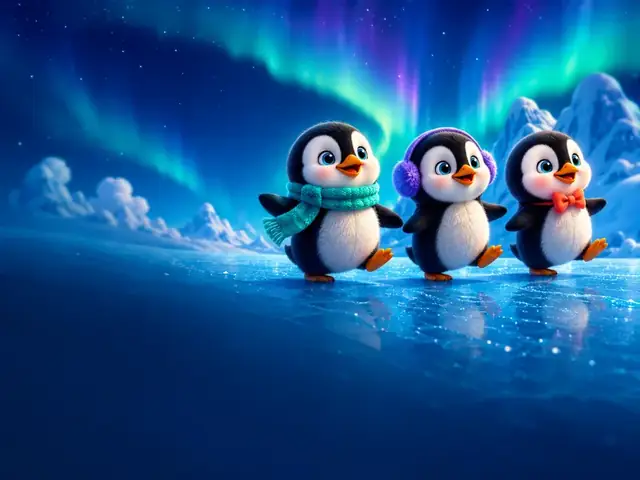
Describe each one in a sentence you'll reuse: "a cheerful little penguin with a red scarf who loves to explore" or "a calm grandpa owl who narrates in a soft voice." In ClipyToons, those descriptions also guide how characters look and sound, and the studio keeps them consistent from shot to shot (see consistent characters).
Design a repeatable format, not a repeated plot
A series format is the shape each episode shares: a familiar opening, a problem, a middle where characters try things, and a warm ending. What changes every time is the substance: a new place, a new problem, a new thing learned.
This distinction matters. YouTube's monetization policies explicitly allow "a series following a set of characters across episodes" where each video has a distinct storyline. They do not allow videos where characters land in the same situation over and over with the same outcome. Plan a season of 8 to 12 episode ideas up front, each with its own problem and lesson, and you'll stay on the right side of that line. Our list of kids YouTube video ideas can help you fill the calendar.
Set Made for Kids correctly from day one
Every YouTube creator must tell YouTube whether their channel or videos are "made for kids." This comes from YouTube's settlement with the US Federal Trade Commission and helps creators comply with the Children's Online Privacy Protection Act (COPPA). In the US, a "kid" means anyone under 13.
If your videos use cartoon characters, simple songs or stories, early learning, and child-friendly language, and children are your intended audience, they're very likely made for kids. You can set this for the whole channel (Settings, then Channel, then Advanced settings) or video by video during upload.
What changes when content is made for kids
According to YouTube Help, made-for-kids videos don't get personalized ads, and several features are switched off, including comments, the notification bell, cards and end screens, the miniplayer, and saving to playlists or Watch Later. Channel memberships and merchandise aren't available either.
Don't set a kids channel as "not made for kids" to keep those features. YouTube uses machine learning to spot mislabeled videos and can override your setting, and the FTC says getting it wrong can have legal consequences. Our guide to YouTube monetization rules for AI kids videos covers this in more depth, with a compliance checklist.
Make every episode original
AI makes it fast to produce a video. It doesn't make every video worth watching. YouTube's channel monetization policies say content should be your original creation and must not be "mass-produced, generic, repetitive, or manipulative." In July 2025 YouTube renamed its "repetitious content" policy to "inauthentic content" to make that clearer.
The same policy page gives a helpful example of what is allowed: "using AI to visualize a unique character and narrative you invented." What isn't allowed includes AI content made with generic templates that gives "the impression of mass production," and videos that stitch together unrelated AI clips with no clear story.
Practical originality habits
- Write the idea yourself. Start from your own premise, even if it's one sentence.
- Edit the script. Change lines, add a joke, and make sure the lesson is correct.
- Vary settings and problems. Episode 5 should not be episode 2 with a different color.
- Skip famous characters and songs. Only use characters, music, and images you have rights to. The ClipyToons studio is designed for original characters and stories.
- Watch every video in full before publishing. You're the editor, not just the button-presser.
A simple production workflow with ClipyToons
Here's a weekly workflow that keeps quality high without eating your whole weekend.
- Idea: Type a one-sentence premise into the studio or start from a preset.
- Script: The studio drafts a kid-friendly script. Read it aloud, tighten it, and approve it.
- Cast: Use auto-designed characters or turn a photo into a cartoon character sheet. Reuse the same cast descriptions every episode so your series stays recognizable.
- Approve: Approve your characters and the place. Planning is free, so this is the place to be picky; the optional Advanced view lets you edit, split, merge, or delete single shots.
- Render: Tap Render video to see the price first. If you don't have a plan yet, pick one right there and the video starts as soon as you've paid. Characters speak their lines with lip-synced voices, and each shot gets sound effects and ambience. A one-minute video takes around 15 minutes, and you can leave and come back.
- Review: The automatic edit stitches shots in story order with captions burned in. Watch it start to finish.
- Publish pack: Grab the suggested title, description, tags, and Shorts hook, then rewrite them in your own voice.
Batch your work
Many creators script and plan three or four episodes in one sitting, render them together, then spend a second session reviewing and scheduling. Batching makes a weekly schedule realistic.
Publishing cadence: Shorts and long-form together
There's no magic upload number. The right cadence is the one you can keep for six months without cutting corners. For a new channel, a realistic starting rhythm might be one long-form episode a week plus two or three Shorts.
How Shorts and long-form work together
- Shorts (vertical, up to three minutes since October 2024) are great for discovery: a quick moment, a counting game, a funny scene from the week's episode.
- Long-form (16:9) episodes of two to five minutes are where a story has room to breathe and where watch time builds.
Keep in mind that for the YouTube Partner Program, watch hours from Shorts in the Shorts feed don't count toward the 4,000-hour long-form threshold. Shorts views count toward a separate Shorts path. For a deeper look at picking lengths, see Shorts vs long-form video length for kids.
Consistency beats volume
A channel with 20 thoughtful episodes usually tells YouTube's reviewers more than one with 200 near-identical clips. Stay active, too: YouTube says it may turn off monetization on channels that haven't uploaded or posted for six months or more.
Analytics basics for a new kids channel
Made-for-kids videos have comments switched off, so analytics become your main feedback loop. Check these in YouTube Studio every week or two:
- Audience retention: Where do viewers drop off? A dip in the first 15 seconds usually means a slow opening. A dip in the middle often means a scene that drags.
- Click-through rate and impressions: Are thumbnails and titles clear and honest? Kids content that misleads can break YouTube's quality principles, so aim for clear rather than clickbait.
- Returning viewers: A growing share means your characters are landing.
- Traffic sources: Are people finding you through Shorts, search, or suggested videos? Lean into what works.
One caution from YouTube itself: Analytics is not designed to tell you whether content is child-directed. Decide your audience setting based on your content and intent, not on audience charts.
Change one thing at a time, such as a new opening or a shorter length, and compare a few episodes before deciding it worked.
Common mistakes when you start a kids YouTube channel with AI
- Chasing volume over story. Dozens of near-identical uploads can get a channel rejected from the Partner Program for inauthentic content.
- Mislabeling the audience. Setting a clearly kid-focused channel as "not made for kids" risks YouTube overriding it, plus legal exposure under COPPA.
- Borrowing famous characters or songs. Beyond copyright problems, YouTube's quality principles flag "strange use of children's characters."
- Misleading "educational" titles. If a video promises to teach colors, it has to actually teach colors correctly.
- Keyword-stuffed titles. Stacking popular kids keywords is listed as a low-quality signal. Write titles a parent would trust.
- Skipping the final watch. Automated safety checks help, but you are responsible for what you publish.
- Posting real children's details. If you use a family photo as a cartoon character, avoid full names, schools, or locations in titles and descriptions.
- Expecting quick money. Monetization depends on YouTube's eligibility thresholds and review, and nothing guarantees growth or earnings. Build the channel because the stories are worth making.
Frequently asked questions
Can a kid run their own YouTube channel made with AI?
The channel and the ClipyToons account should belong to an adult. Kids can absolutely help dream up ideas, name characters, and pick favorite episodes, but a parent or guardian should handle the account, the audience settings, and publishing. YouTube also requires an adult (or a legal guardian) to manage payments for ad revenue.
Do I have to set my AI cartoon channel as Made for Kids?
If children are your intended audience, very likely yes. YouTube requires every creator to set their audience, and cartoon characters, simple stories, and early learning are among the factors that point to made-for-kids content. If you're genuinely unsure, YouTube and the FTC suggest getting legal advice.
Will YouTube demonetize AI-made kids videos?
AI itself isn't the problem. YouTube's policies explicitly allow using AI to visualize original characters and stories you invented. What isn't eligible is mass-produced, templated, or repetitive content, and low-quality kids content under YouTube's quality principles. Original, varied episodes with a clear story are the goal.
How many videos should I make before launching?
Having three to five finished episodes ready at launch gives new viewers something to binge and gives you a buffer for busy weeks. Planning in ClipyToons is free, so you can plan a whole season before you spend any credits on rendering.
Sources
- YouTube Help: YouTube Partner Program overview & eligibility
- YouTube Help: YouTube channel monetization policies
- YouTube Help: Set your channel or video's audience
- YouTube Help: Determining if your content is "made for kids"
- YouTube Help: Best practices for kids & family content
- YouTube Help: Understand three-minute YouTube Shorts
Platform policies change. We review this guide regularly; always check the official pages before making decisions.
Plan your first episode for free
Write a script, design your characters, and plan a whole episode without spending a credit. Render only when it's ready.
Planning is free — you pay when you render · monthly plans from $19.99